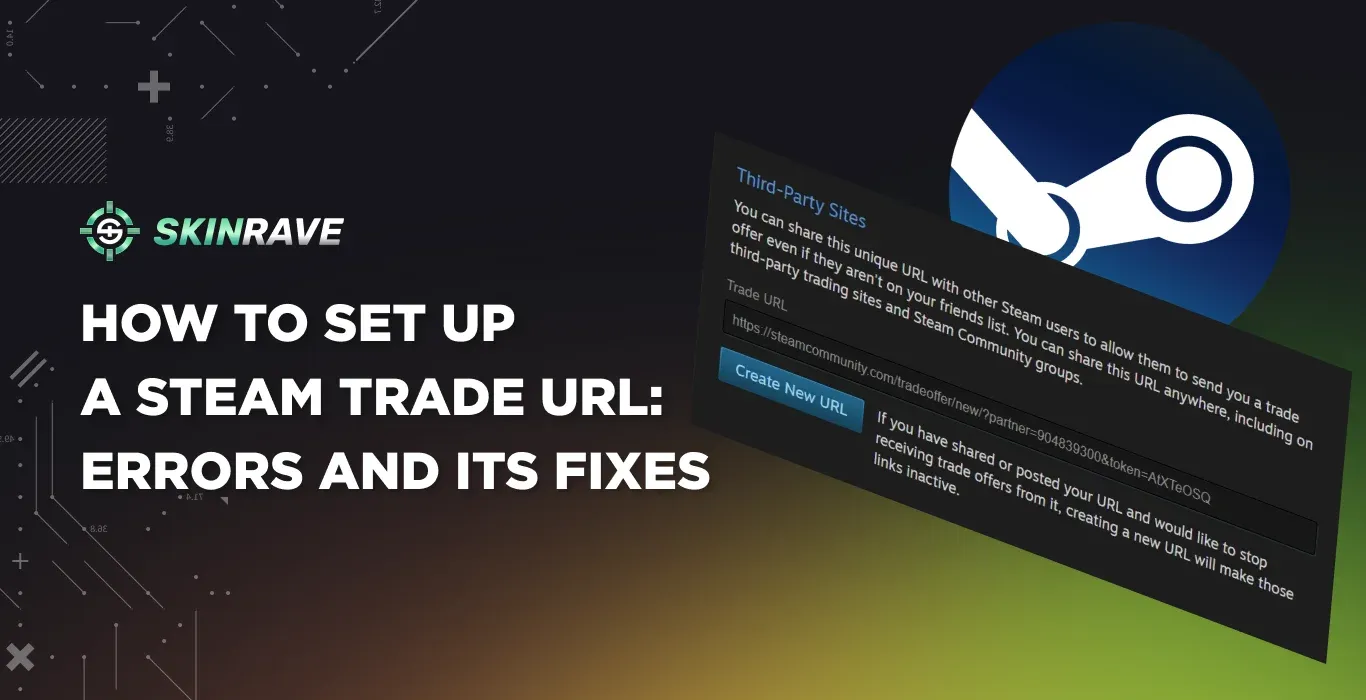

How to Set up a Steam Trade URL: Possible Errors and Fixes
Trading in Steam usually starts with one thing, and it is your Steam Trade URL. It is unique for each user, and most of the third-party trading websites require it to send you trade offers. In this guide, we will cover what a Steam Trade URL is, how to find it and set it up, how to understand if it is working, and how to fix the most common issues regarding it.
Note: Anyone with your Steam Trade URL can view your inventory and send you trade offers. Be aware of Scammers.
What is the Steam Trade URL?
A Steam Trade URL is a unique link tied to your Steam account that allows other users to send you trade offers, even if they're not on your friends list. Think of it as your personal trading address: anyone with this link can propose a trade for items like CS2 skins, Dota 2 cosmetics, trading cards, or other Steam inventory items.
Why Do You Need One?
Trading with anyone, not just friends. Steam's built-in trading system only lets you exchange items with people on your friends list. Your Trade URL removes that limitation, opening up trades with the broader Steam community.
Using third-party marketplaces. Sites like CSMoney, CSFloat, Skinrave, and other skin platforms require your Trade URL to send automated trade offers to your account. Without it, these services can't complete transactions with you.
Simplifying community trades. Whether you're active in trading Discord servers, Reddit communities, or Steam groups, sharing your Trade URL makes it easy for others to send offers without the extra step of adding you as a friend first.
How to Find Your Steam Trade URL?
Finding your Steam Trade URL is not a hard thing to do, but before finding it, you will need to ensure that the following steps are followed:
Step 1: Your Steam Guard is Enabled.
- Open your Steam Client or visit the Steam Website.
- Go to Steam Account Settings by clicking on your profile picture in the top right corner and tap Security & Devices.
- There, you will immediately see if the Steam Guard is enabled or not. If it is not enabled, then activate it following the Steam instructions.
Step 2: Your profile is set to Public
Now that you have Enabled your Steam Guard, you will need to make your Inventory Visible to others. For doing that:
- Go to your profile by clicking your profile picture.
- Click on Edit Profile located under your Steam Level.
- Navigate to Privacy Settings and change your Profile and Inventory visibility to Public.
Now you are ready to find your Steam Trade URL. There are two methods to find your Trade URL:
First Method: You can find your Steam Trade URL by clicking on this link.
Second Method: https://www.youtube.com/watch?v=7rPTHhfQdAk
- Go to the Steam Website by any Browser: Click here
- Login to your Steam Account.
- Find the Inventory Tab on the right. After clicking on it, you will see your Inventory.
- Click on the Blue Icon of Trade Offers.
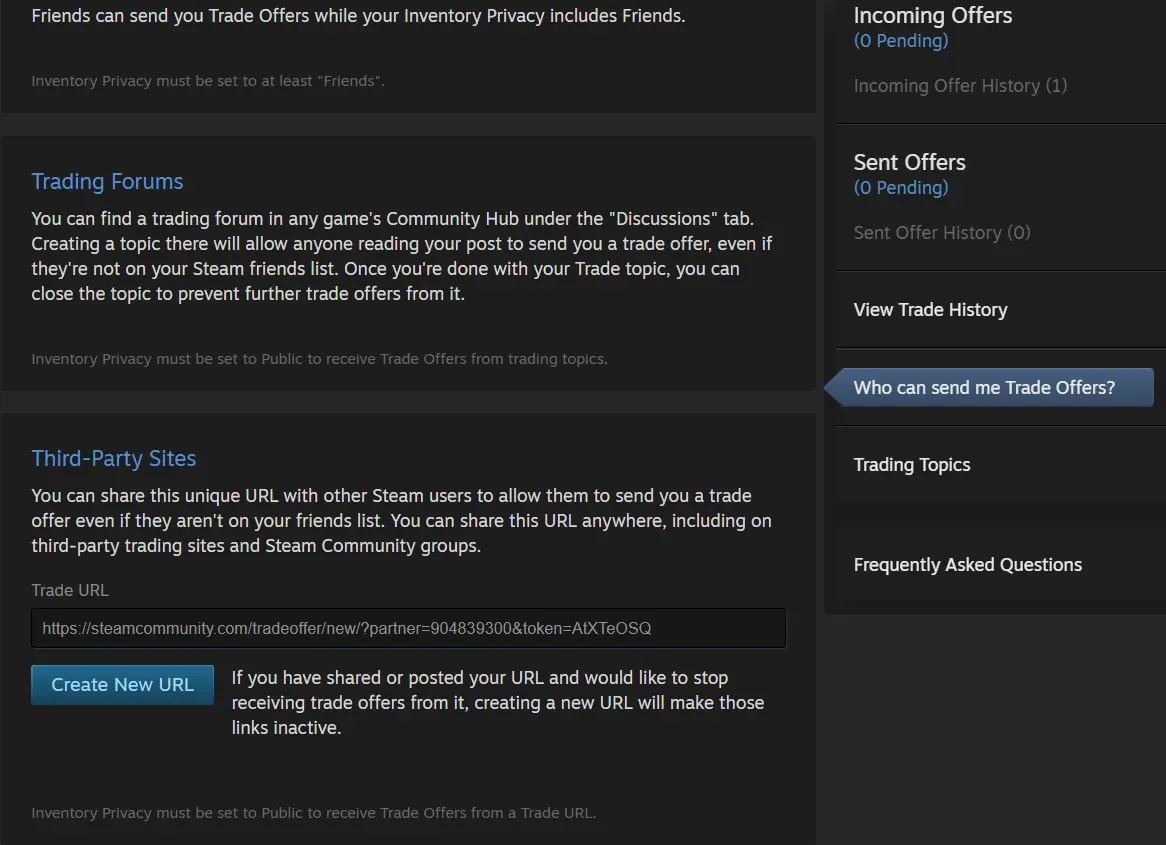
- Tap on “Who Can Send Me Trade Offers”?
- Scroll down and find the Trade URL.
- Now you can copy and share your Trade URL.
- You can also create a New URL by eliminating the old Trade URL.
How to Find the Steam Trade URL on Mobile?
To find your Steam Trade URL on the mobile Steam application, you will need to open your Steam, click on your Avatar icon, and then select Inventory. You will see the same Trade Offers Blue button, but now, as you click it, there will be fewer options than on the computer.
On the right side under your Steam Avatar, you will see a light blue thing with 3 lines. Click on it, and you will see different tabs.
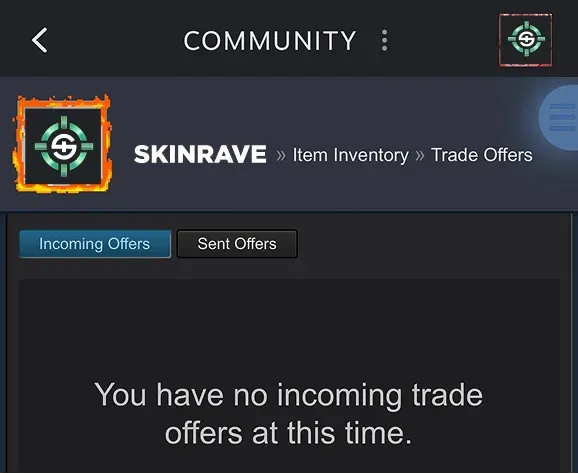
Now, similar to how computers find the “Who can send me Trade Offers”, scroll down, and you will see your Steam Trade URL.
If you don’t want to spend your time on doing it, just use the link from the first method.
Common Issues When Finding Your Trade URL
Sometimes, even following the steps doesn’t help you find your Steam Trade URL. You can try the following solutions:
- Recheck your Privacy Settings: Check if your profile is set to be Public.
- Recheck your Steam Guard: Make sure that Steam Guard is enabled.
- Clear Cache: Regularly, clearing your website cache can help if you have issues.
How to Check if Your Steam Trade URL is Correct
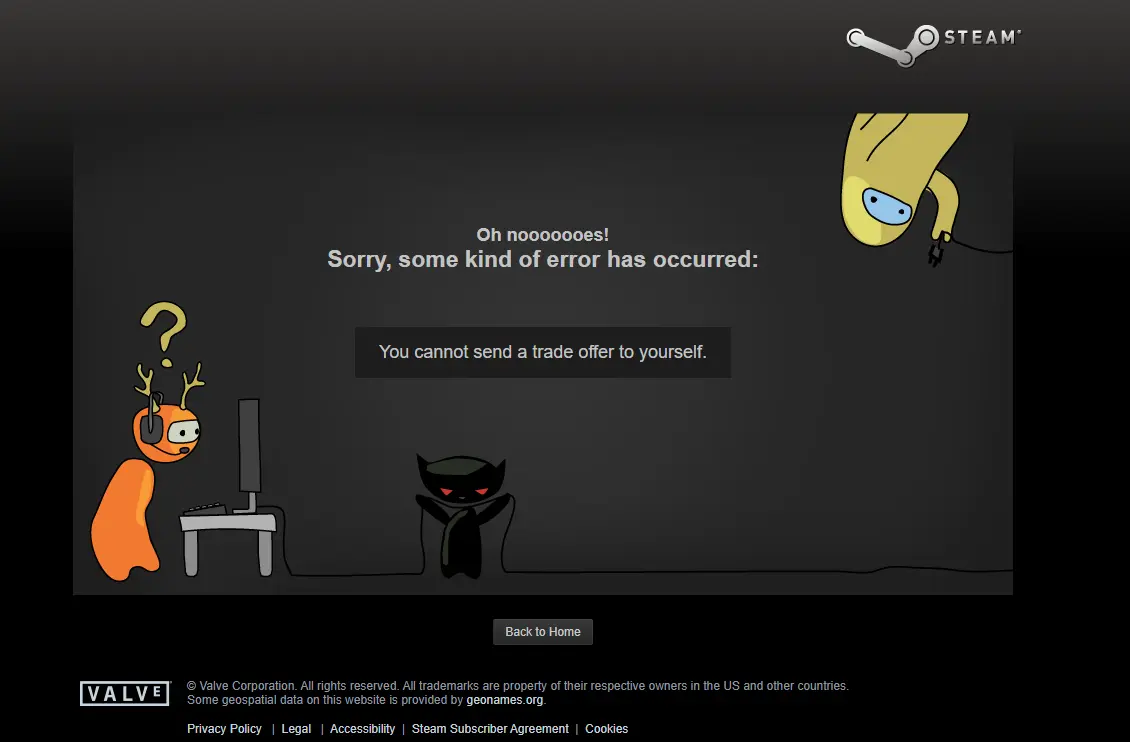
To check if your Steam Trade URL is working, you can try copying and pasting it into your browser. If the Trade URL is correct, you will automatically be taken to the page where others can trade with you, or it will write that you can't trade with yourself.
FAQS
Situations that cause the Trade Ban
“... is not eligible to trade. If they invite you to trade, more information will be shown about the user called ...”.
- Changing your nickname gets you a 2-4 hour trade ban
- Logging in from another device
- Resetting password using the “I forgot my password” option
- Changing Steam Guard settings (disabling/enabling mobile authentication)
- Canceling a trade you approved before the item trade ban timer
I Just Created Account and Can’t Trade
Newly created Steam Accounts have Automatic 15 days Trade Ban.
Trade URL Error
“This Trade URL is no longer valid to send trade offers to the user ...”.
May occur if the user changes the Steam Trade URL and you are still using the old one
Inventory Privacy Error
“The inventory privacy of the user named ... is set to ‘Private’. They cannot receive trade offers.”
It means the user has not made their profile Public for other users.
To fix it, just go to Steam Settings - Inventory - to Public.
2 Day Waiting Trading Steam Ban
This may occur when you make any kind of changes to your Steam Guard.
7-8 Day Waiting Trading Steam Ban
This isnt error but a skin Trade Ban that allows you to trade the skin you just got from trade after 7-8 of the trade, which allows the two sides of the trade to revert the trade process.
15 Day Waiting Trading Steam Ban
This error may occur when you have just enabled your Steam Guard on another device. In this case, you can do nothing but wait for 15 days until the trade ban disappears.