
Infinite Time Command CS2: Full Guide
Imagine you’re practicing a smoke lineup and finally getting close to perfecting it, only for the round timer to hit zero. It’s frustrating, especially when you’re in the middle of testing a lineup, practicing movement, or exploring a new angle.
Luckily, CS2 console commands let you extend the round timer and remove several of the limits that can interrupt your practice. Just one console command removes a huge problem you can encounter while practicing, giving you all the freedom to drill line-ups, test angles, or just explore the map at your own pace.
In this guide, we’ll cover the CS2 infinite time commands you need, along with warmup, buy-time, freeze-time, and workshop map commands.
How to Change Round Time in CS2 (Step-by-Step)
The method we are going to discuss is the fastest way to set up an infinite time command in CS2. However, note that having “infinite round time” in CS2 is not possible. The maximum round time is limited to 60 minutes, and with all the commands we’re going to mention, you can set up a round so long that it feels infinite.
But before moving to any commands, make sure that the Developer Console is enabled: Settings→Game→Enable Developer Console, and after that, just tap on the “~” key to start writing the commands.
Besides enabling the Developer Console, there is one more step you should always do when starting a practice match – sv_cheats 1, which basically unlocks advanced game commands and enables cheating.
Now let’s understand how to change the round time in CS2 matches for each game mode, as there are different commands for each one:
- Defusal maps (Mirage, Inferno, Nuke, Dust II, etc.): mp_roundtime_defuse 60
- Hostage maps (Office, Italy): mp_roundtime_hostage 60
- Custom or non-standard game modes: mp_roundtime 60
Each of these commands is a separate CS2 round time command that applies to a certain game mode. If the new settings are not working, then try to use mp_restartgame 1. This command restarts the game, and afterwards the other CS2 infinite time commands will work.
How to Set Custom Time on CS2
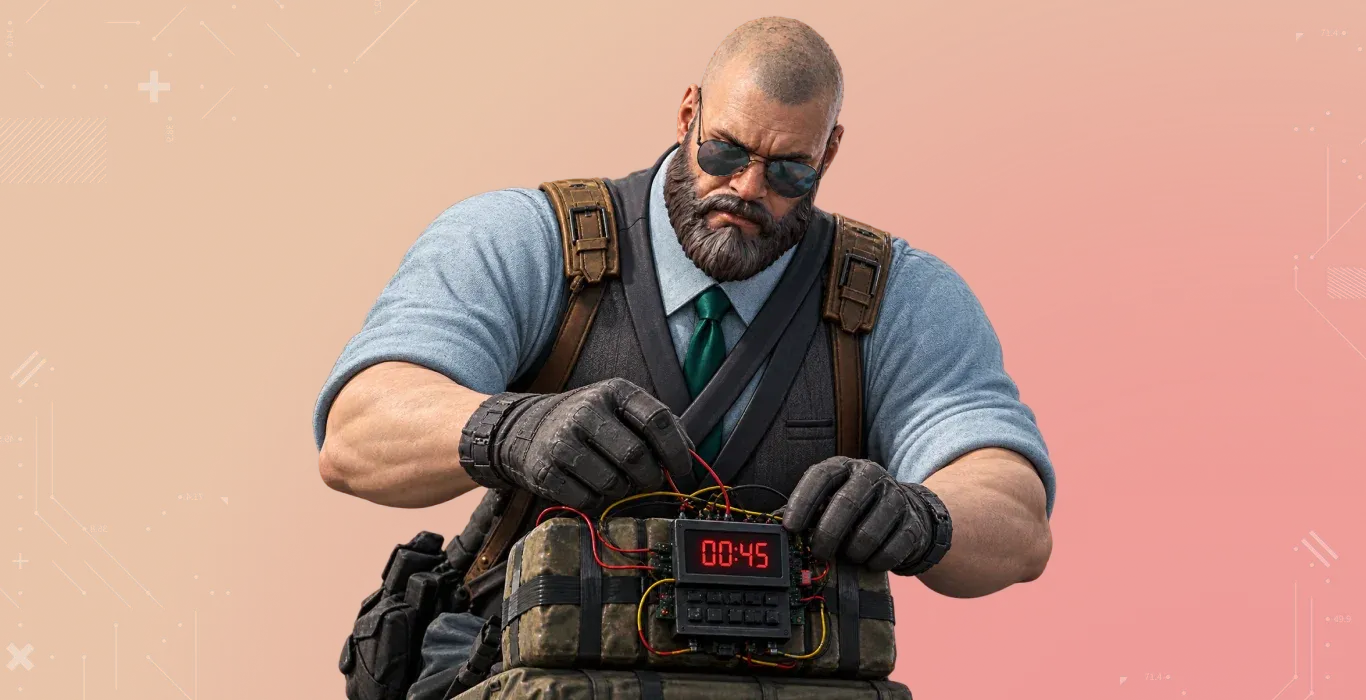
If 60 minutes feels too much, then you can use any other value between 1 and 60 minutes, and here is how to set custom time on CS2 servers:
- mp_roundtime_defuse [1-60]
- mp_roundtime_hostage [1-60]
- mp_roundtime [1-60]
These commands are useful when you are playing with your friends and want to have extended round time.
CS2 Infinite Round Time
Long round timers solve only half of the problems, and if you want the match to never end, then you will need to use the CS2 infinite round command alongside your time settings:
- mp_maxrounds 0 – Turns off the round limit on a private server.
- mp_ignore_round_win_conditions 1 – The round doesn’t end even if all players died or the bomb exploded.
- mp_respawn_on_death_ct 1 – always respawn CT-side players after death.
- mp_respawn_on_death_t 1 – always respawn T-side players after death.
Combining all these commands gives you genuinely infinite CS2 rounds.
Buy-Time CS2 Commands
Unlimited round time doesn’t help you out if your buy menu locks out early. By default, the buy-time lasts for 20 seconds, and thanks to CS2 commands, we can expand it and more:
- mp_buy_anywhere 1 – Allows you to use the shop anywhere on the map, with no spawn limitation.
- mp_buytime 9999 – Extends the buy-time period to 10k minutes.
Think of these commands as a natural extension of the CS2 infinite round command setup above, as unlimited rounds don’t mean much if you have limited time to buy.
Freeze Time CS2 Command

Before any round starts in CS2, you get a buy time where you are frozen until it ends. Sometimes it feels unnecessary and time-consuming, and luckily, we know how to remove that CS2 stop timer:
- mp_freezetime 0 – Removes the starting freeze time.
- mp_round_restart_delay 0 – Restarts the next round instantly, ideal for practice or warm-up.
Combined, these two freeze time CS2 commands remove the waiting time between rounds.
Infinite Warmup Command CS2
CS2 has a Practice mode, which allows you to practice smoke line-ups, movement, aiming, and more, so knowing the infinite warmup command in CS2 is beneficial:
- mp_warmuptime 9999 – Sets the warmup period to 9999 seconds.
- mp_do_warmup_period 0 – Disables the warmup period.
The infinite warmup command in CS2 is very helpful as it allows you to practice for as long as you want without scoreboard tracking wins and losses.
When you decide to end the warmup, simply type mp_warmup_end in the Developer Console.
Note: Normally, warmup mode disables bots by default, so if you want to practice with bots while having infinite warmup, then use the bot_add command, which will spawn a bot.
If you want to remove all the bots, then use the bot_kick command. It also has variants where you can decide which team you want to remove or add bots:
- bot_kick t – Kicks all the bots from the Terrorist side.
- bot_kick ct – Removes all the bots from the Counter-Terrorist side.
- bot_add_t – Adds a bot to the Terrorist Team.
- bot_add_ct – Adds a bot to the Counter-Terrorist Team.
Besides the infinite warmup CS2 commands, CS2 has built-in CS2 Bot Commands which allow you to decide the bot difficulty from Easy to Hard.
CS2 Workshop Map Console Commands
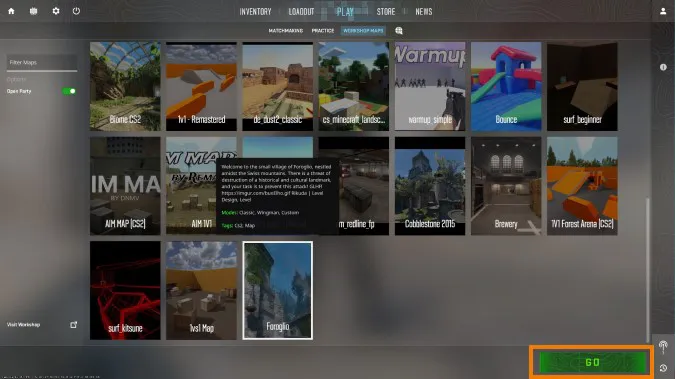
Workshop training maps such as aim trainers, bhop, or surf maps often have their own built-in round logic, which you can change easily. Here is how the CS2 workshop map console change time unlimited process works on a loaded workshop map:
- sv_cheats 1
- mp_roundtime 60
- mp_restartgame 1
Mostly on all workshop maps, sv_cheats 1 is automatically enabled, so this CS2 workshop map console change time unlimited combo applies instantly without needing any restart. If so, then start entering the commands.
CS2 Workshop Console: Change Max Number of Rounds
If your workshop map has a round limit that keeps kicking you back to the lobby, then use this CS2 workshop console change max number of rounds command to fix it:
- mp_maxrounds 0
This sets the absolute upper limit for the number of total rounds played on a map before the match ends or changes. It's is specifically useful on workshop retake maps or scenario-based training maps where the default round limit is too low for your practice.
Full Copy-Paste Practice Config
For a complete practice setup, you can simply copy and paste this combination of commands:
sv_cheats 1; mp_roundtime_defuse 60; mp_roundtime_hostage 60; mp_roundtime 60; mp_maxrounds 0; mp_freezetime 0; mp_buytime 9999; mp_buy_anywhere 1; mp_ignore_round_win_conditions 1; mp_respawn_on_death_ct 1; mp_respawn_on_death_t 1; mp_restartgame 1
This one set covers all CS2 infinite time commands, round restrictions, buying zone, and revival commands.
FAQs
Is there a real infinite time command in CS2?
No. CS2 does not have a true infinite round-time command. The maximum round time you can set is 60 minutes, which is long enough for most practice sessions and can effectively feel unlimited.
Does the infinite time command work online?
It only works in private lobbies where you can fool around with your friends. It doesn’t work in Premier or Wingman.
How to freeze time in CS2 command?
To remove or change the starting freeze time in Counter-Strike 2, use the console command mp_freezetime 0.
Do these settings save permanently?
No, you will need to re-enter your CS2 round time command setup in every session you start.
What’s the difference between round time and warmup time?
Round time affects an active match round, whereas the infinite warmup command CS2 settings only affect the pre-match warmup phase.