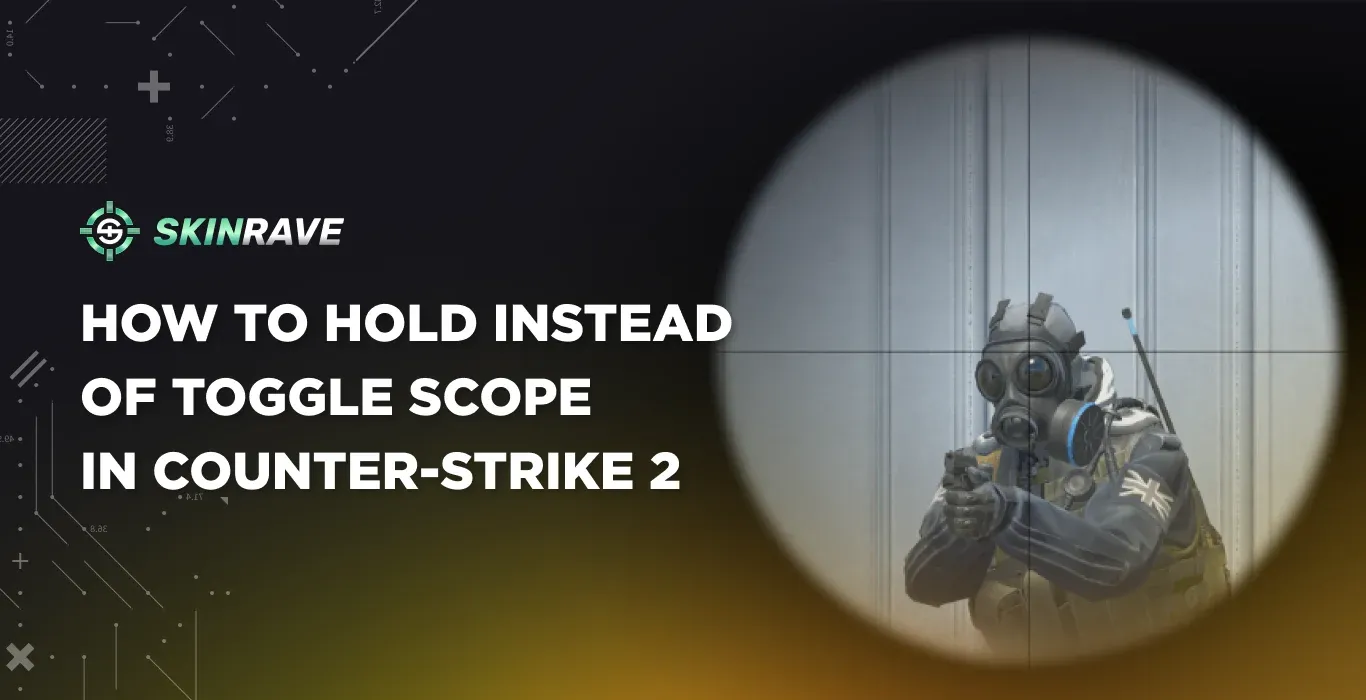

How to Hold Instead of Toggle Scope in CS2
In Counter-Strike 2, scoped weapons use toggle zoom by default. This means that to zoom in with a scoped weapon in CS2, you would click the right mouse button once. Similarly, to zoom out of the weapon’s scope, you would click it again.
Although this is the default behavior in Counter-Strike 2 and works well for most players, some players may prefer hold-to-scope. This means that the weapon automatically changes the scope modes while you hold the button. For players who have used many other games and are used to playing Counter-Strike 2, it may be more convenient for them to use hold to scope instead.
By using hold-to-scope in Counter-Strike 2, players may find it more convenient and easier to play. This is because it is a more responsive way of playing compared to using toggle zoom. This is because players may like to move around quickly in Counter-Strike 2. In this guide, we will discuss how to use hold to scope in Counter-Strike 2 and when it is actually helpful.
Why Some Players Prefer Hold Scope
The main difference between toggle and hold scope is essentially about speed and accuracy. With toggle scope, you are required to click twice to zoom in and then click a second time to zoom out. This is perfect in slow situations, such as when you are aiming with an AWP, and you are holding a long angle.
However, in faster situations, such as when you are peeking or repositioning, this mechanism is a bit slow or even awkward. With the hold scope, this problem is eliminated. When you press the button, it quickly changes the scope, letting you skip the second click. This makes it a lot closer to most of the shooters that are currently available in the market.
Most players who are using AWP or SSG 08 are most likely to prefer the hold scope since it is easier to unscope and reposition immediately after shooting. It also provides a lot of awareness since you don’t even have to think about it.
Enabling Hold Scope in the CS2 Settings
The easiest way to change from toggle scope to hold scope is to do it directly from the settings menu of the game. CS2 has an in-built option which is specifically intended for this purpose, and you do not have to use any complex commands and scripts.
To do this, you need to first start the game and press ESC to open the main menu. After this, you simply need to click on Settings and then navigate to the Keyboard / Mouse section. This section has most of the input options related to gameplay, including zoom.
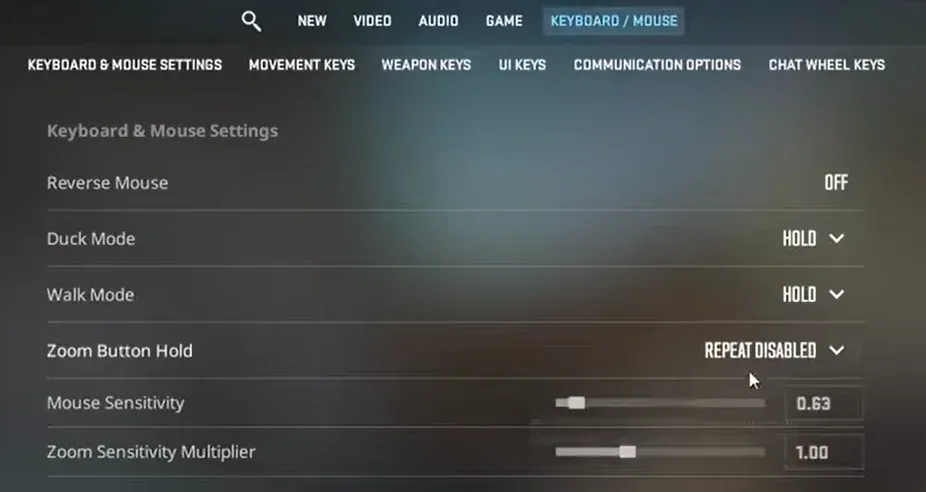
To find the "Zoom Button Hold" option, you simply need to scroll through this section and look for it. Once you have located it, simply toggle it Repeat Enabled. After this, you will see that your scoped weapons will only be zoomed in while you are holding the button. If you release it, you will be back to normal view right away.
This is recommended as it is quick and easy.
Using a Console Command Instead
Some people may prefer to use console variables to control their settings, especially if they are already accustomed to configuring their game via config files. Zooming can be controlled via a console variable in CS2.
To use this method, first, you need to check if the developer console is enabled. You can do this by going to Settings, then clicking on Game, and enabling Developer Console (~).
Once this has been enabled, you can open the console by pressing the `~` key while in-game.
Now, to disable the default toggle and use the scope in hold mode, you can use the following command in the console window:
- cl_debounce_zoom 0
This command disables the default toggle function and enables the scope to use the hold mode instead. This change takes effect immediately, so you can try it out right away with any scoped weapon of your choice.
To go back to the default toggle function, you can use the following command instead:
- cl_debounce_zoom 1
Saving the Setting in Your Config
Sometimes console commands reset after restarting the game, which can be annoying if you have to enter them repeatedly. To avoid this, you can place the command inside your autoexec.cfg file.
The autoexec file loads automatically every time CS2 launches, meaning any commands inside it will always be applied. Simply open or create your autoexec.cfg file and add the following line:
cl_debounce_zoom 0
Save the file, and the game will automatically enable hold scope every time it starts. Many competitive players use this method because it ensures their preferred settings always stay active.
Weapons That Use Scopes in CS2
The hold scope setting mainly affects weapons that have zoom functionality. In CS2, there are four main weapons that use scopes: the AWP, SSG 08, AUG, and SG 553.
The AWP and SSG 08 are sniper rifles designed for long-range combat. Players often zoom in and out frequently while using them, which is why hold scope can feel very useful. The AUG and SG 553 are rifles with optional scopes, meaning players can switch between normal firing and zoomed aiming depending on the situation.
Final Thoughts
Switching from toggle scope to hold scope in Counter-Strike 2 is a small change that can noticeably affect how the game feels. Many players prefer hold scope because it allows for faster reactions and smoother movement after taking a shot.
If you regularly play with scoped weapons like the AWP or Scout, experimenting with hold scope might make your gameplay feel more responsive. Like many settings in CS2, it ultimately comes down to personal preference, so it’s worth trying both options to see which one fits your playstyle best.