CS2 C4 Stickers: How to Apply Them and Make Crafts
The C4 has finally joined the rest of your CS2 inventory when it comes to sticker crafts. With the Rush Hour update, Valve added the ability to apply up to five stickers directly to the bomb.
They work much like stickers on weapon skins. You can choose where they sit on the C4, rotate them, and use both the front and back of the model.
Today, we’ll go over everything you need to know, from quickly finding the C4 in your inventory to placing, scraping, and removing stickers.
How to applying Stickers to the C4: Step-by-Step
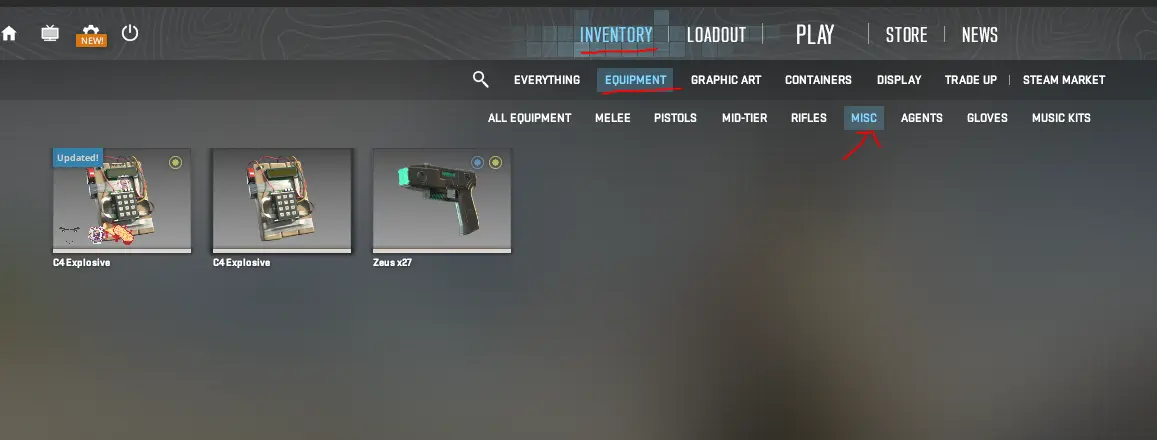
First, you need to find the C4 Explosive in your inventory. If you have a lot of items, open Inventory, select Equipment, and then choose Misc to find it faster.
From there:
- Select the C4 Explosive.
- Choose Apply Sticker.
- Pick a sticker from your inventory.
- Move and rotate it into the position you want.
- Apply the sticker.
The placement screen works pretty much the same as it does for weapon stickers. You can move stickers freely around the model, rotate the C4, and use the back of the bomb as well. That gives you quite a bit more space to work with if you’re putting together a larger craft, rather than trying to fit everything around the keypad.
The Five-Sticker Limit
Valve capped the C4 at five stickers total. The good part is that you aren't restricted to the keypad side alone. The back of the C4 (the flat panel that sits pressed against your character's back when you’re carrying it) has a massive amount of flat area that can be used too.
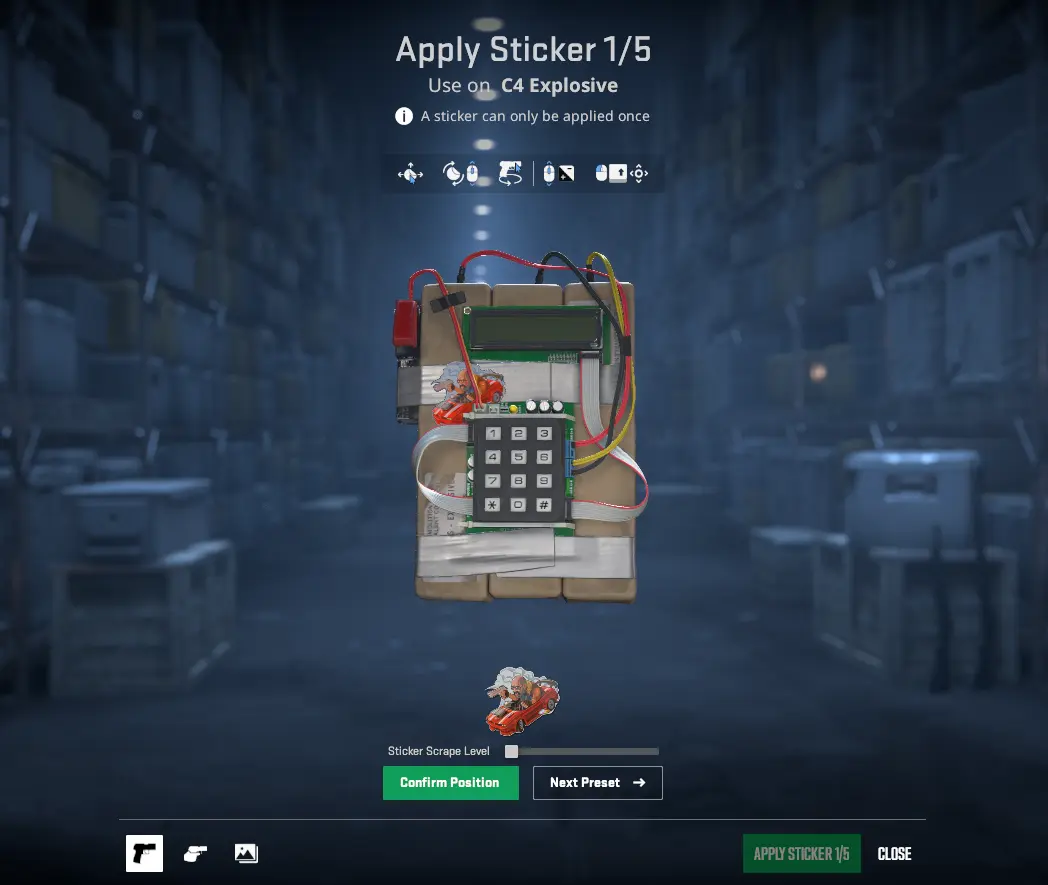
If you're making a clean craft, the smart play is putting your hero sticker or centerpiece right over the LED display or keypad on the front, then using the flat reverse panel to tuck away your support stickers, player autographs, or meme text.
Or you can just plaster all five across the digital timer and make the bomb look like a high school locker. The tool doesn't judge.
Can You Scrape or Remove C4 Stickers?
Yes. Stickers applied to the C4 can be scraped just like stickers on weapons. The Sticker Scrape Level slider lets you wear a sticker down as far as you want.
Depending on the sticker, part of it may still remain visible even at the maximum scrape level. So if you want to get rid of it completely, use Remove Sticker instead.
Keep in mind that this permanently destroys the sticker; it won’t be returned to your inventory.
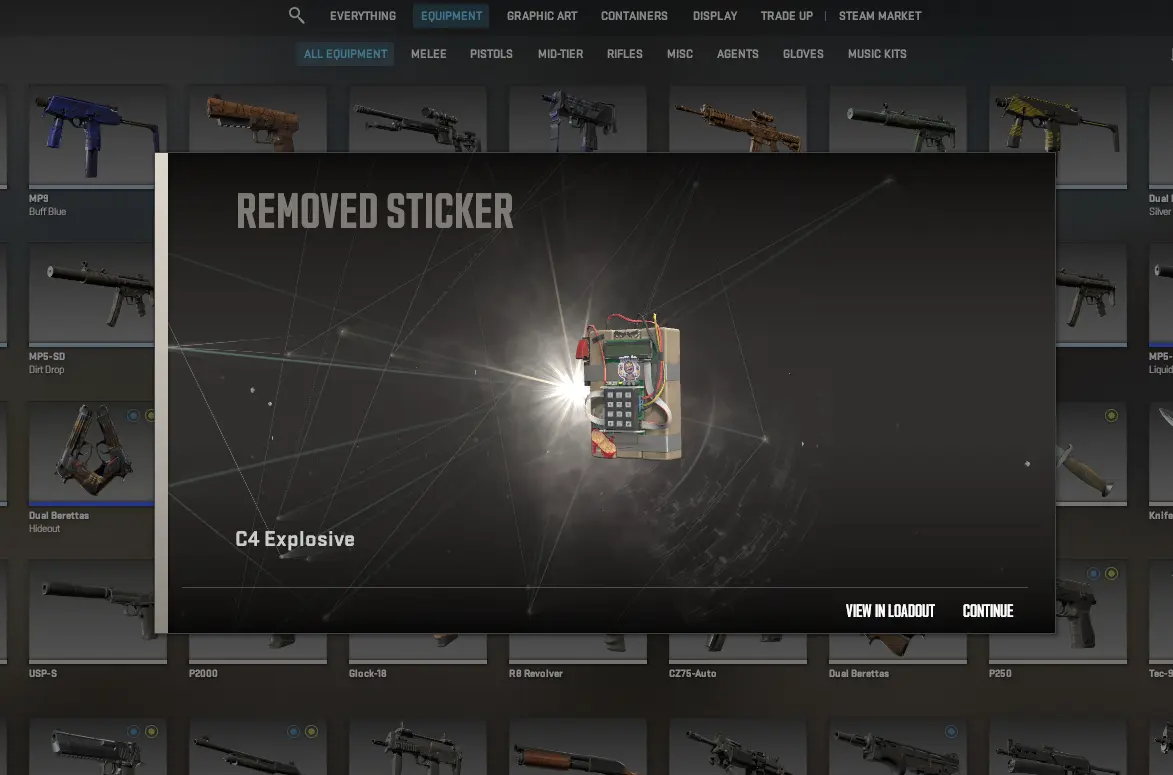
You also can’t move a sticker after applying it. If you don’t like the placement, you’ll have to remove it and apply another one. The same goes for scraping: once you increase the scrape level, you can’t restore the sticker to how it looked before.
In-Game Visibility: Who Actually Sees Your Craft?
Unlike a rifle that lives in your hands for an entire half, bomb visibility comes down to RNG and round flow. But when your craft does show up, everyone sees it:
- On your back: If you spawn with the bomb, the back panel is fully visible to any teammate running behind you out of spawn.
- Tossed on the floor: Dropping the bomb at an entry point like Mirage T-roof or Inferno banana leaves it sitting in the dirt with your stickers facing up based on the physics drop.
- Planted on site: Once the bomb is ticking, the front faceplate and keypad remain completely visible to both teams. If a CT has to stick a 10-second defuse, they’re staring right at whatever nonsense you pasted across the timer. Which with a good craft can make a very funny moment.
C4 Sticker Trends and Market Reactions
The C4 Sticker feature hasn’t been around for long, but players are already discussing possible crafts on Reddit and X. Bomb-themed stickers were an obvious starting point, with Bomb Code and other bomb-related designs getting plenty of attention shortly after the update.
However, there aren’t any special restrictions on what you can use, though. Team stickers, expensive holos, or basically anything else in your inventory can be applied the same way.
The C4 also will work quite well for themed crafts in general. Since you can use both sides of the model, there’s enough room to do something more interesting.