
How to Reset a Round in CS2 | Quick Steps
Imagine playing with your friends. You nailed a perfect utility setup, your team ran a flawless execution, and then the game froze. A teammate disconnects, the server acts up, or a bug hits someone hard enough that the only real option is starting fresh.
Then there's the practice side of things. You trying new tactics, working out your squad’s execution, or practicing retakes. In those situations, you need to restart rounds over and over again, but not everyone knows how to do it. Here's how to reset a round in CS2 properly.
Step 1: Enable the Developer Console
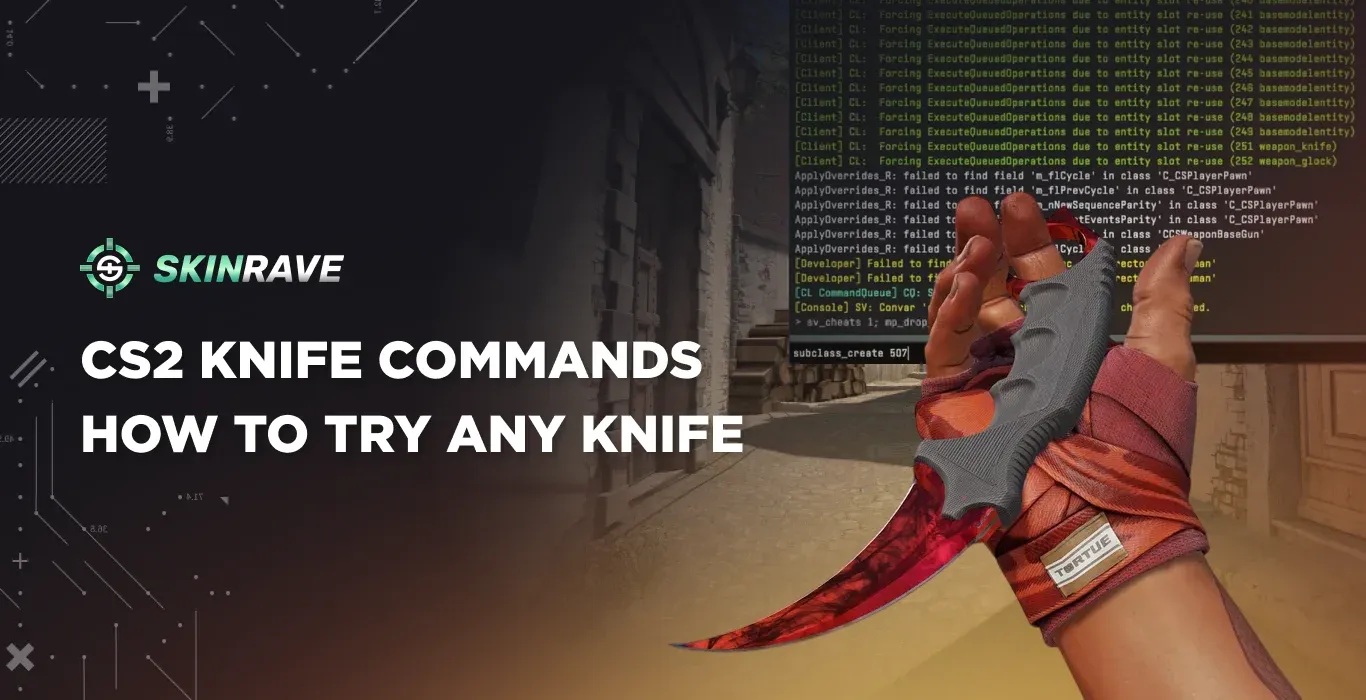
Most reset methods go through the developer console. If you haven't turned it on yet:
- Open Settings → Game Settings
- Set Enable Developer Console to Yes
- Press the tilde key (~) in-game to open it
Once that's done, you're ready to roll.
The Main Command: mp_restartgame
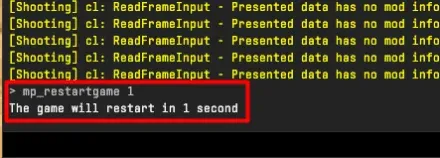
The go-to command for resetting a round (or the entire match) is:
- mp_restartgame <seconds>
The number is a delay in seconds – so mp_restartgame 1 restarts the match almost instantly, while mp_restartgame 10 gives everyone a 10-second heads-up before everything resets. You can use any value between 1 and 60
This resets scores, money, and player positions. It's the fastest and most reliable method available, and it works on any custom or private server you're hosting.
Important: This command does not work in official Competitive or matchmaking modes. It's only available on servers you control.
More Restart Options
Reset a Round Without Changing the Score
Running a practice scenario where you just want to wipe the round but keep the scoreboard intact? This combo does exactly that:
- sv_cheats 1
- endround
The round ends, nobody wins or loses a point, and you go again. Perfect for drilling clutch scenarios repeatedly without the score turning into a joke.
Restart with a Warmup Period
If you're setting up a proper scrim and want everyone to have time to buy and warm up before the match clock starts:
- mp_restartgame 1
- mp_warmuptime 30
- mp_warmup_start
When you're ready to actually play, kill the warmup with mp_warmup_end.
Restart After Halftime
To avoid switching sides at the half, pause the game at halftime and then restart:
- mp_halftime_pausetimer 1
- mp_halftime_pausematch 1
- mp_restartgame 1
Restoring a Specific Round (Server Admins)
If you're an admin on a dedicated server and need to load a backup of a particular round, use these commands:
- mp_backup_round_file_last – shows the most recent round backup
- mp_backup_restore_list_files – lists all available backup files
- mp_backup_restore_load_file [filename.txt] – loads a specific backup
Resetting Without the Console
Don't want to touch the console? There's a way – but only in casual or private matches:
- Press Esc
- Click Call Vote...
- Select Change Map
- Choose the map you're currently on (or a new one)
If the majority of players vote yes, the match restarts on that map. Simple, but you're at the mercy of the vote.
Bind the Restart Command to a Key
If you reset rounds often – say, during practice sessions – save yourself the typing by binding the command to a key:
- bind K mp_restartgame 1
Now pressing K will instantly trigger a restart. Swap the letter for any key that suits your setup.
Common Issues and Fixes
Commands not working? Double-check that you're on a server you're hosting. Restart commands are locked in official matchmaking.
"mp" commands disabled? Some server configurations block multiplayer commands by default. Check your server's control panel and enable them.
Not the server admin? You'll need admin rights to run most of these commands. Ask the server owner to promote you.
Wrapping Up
Learning how to restart a round in CS2 takes seconds once you know the right commands. mp_restartgame 1 covers 99% of situations, and the extra commands give you fine-grained control when you need it. Just remember – these tools are for private servers and practice, not for gaining an edge in competitive play.