
Which CS2 Resolution Should You Use?: Clarity vs. Performance
Counter-Strike players have continuously debated on the topic of resolution settings because each choice is a trade-off between visual clarity, field of view (FOV), and performance.
The most common options include 1920×1080 (16:9) for full HD, 1280×960 (4:3), and 1024×768 (4:3), often with stretched scaling, as well as 16:10 modes like 1440×900.
Higher resolutions show more detail but demand more GPU power, while lower resolutions can boost frame rates and enlarge targets on screen.
This article breaks down how these settings affect gameplay, what the pros use, and how to choose the right one for your setup.
Common Resolutions in CS2
1920×1080 (16:9 native) is the standard widescreen HD resolution.
On a native 16:9 monitor, it fills the screen with no stretching. It offers the widest horizontal FOV, showing more of the map and surroundings.
Visuals are crispest at 1080p (especially on 144 Hz+ monitors).
The downside is smaller on-screen character models and higher GPU load.
If your PC can run CS2 at a stable high frame rate, 1080p gives a modern, “full-screen” experience with maximal awareness.
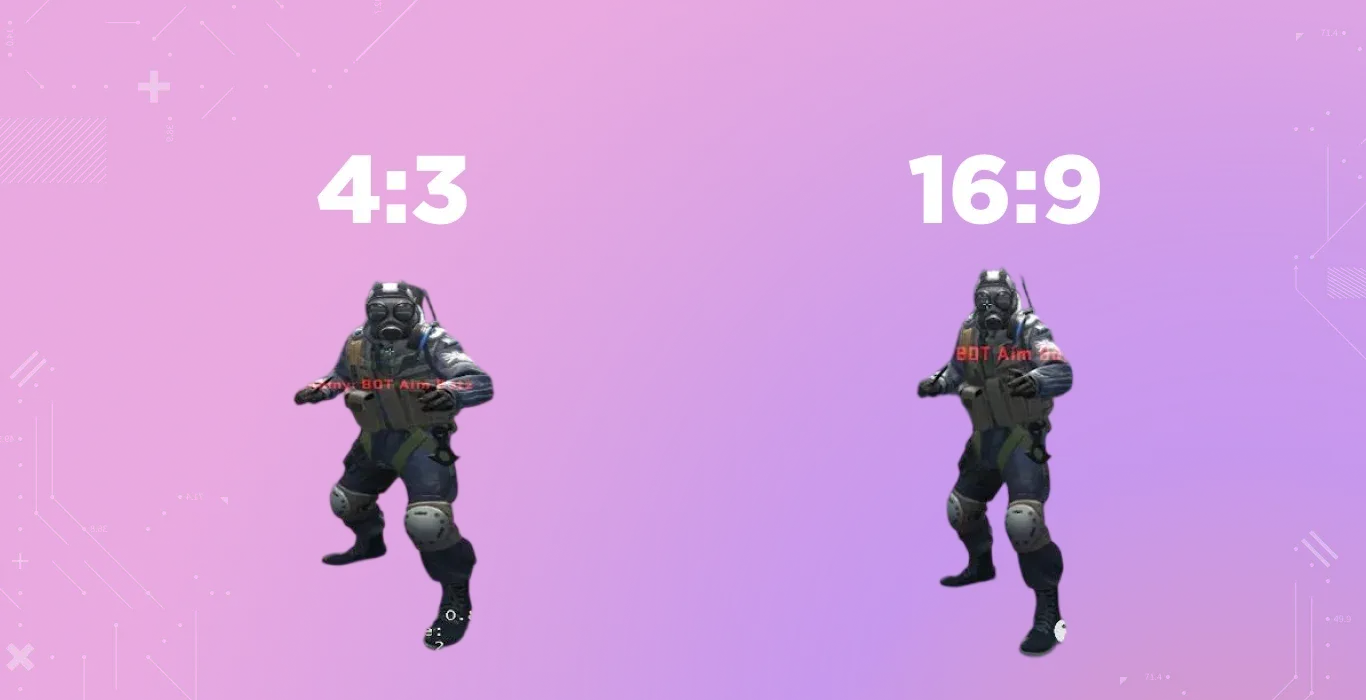
1280×960 (4:3) is one of the most popular resolutions for competitive play (4:3 aspect ratio). On a widescreen monitor, this can be stretched to fill the screen horizontally.
This makes enemy models appear wider, which some players find easier to aim at. It also reduces the pixel count by about 44% compared to 1080p, boosting FPS on weaker systems.
Because of the wider-model advantage, most pros stick with 1280×960: surveys show ~45–50% of top players use it.
The trade-off is a narrower FOV and potentially blurrier details.
1024×768 (4:3) is an even lower 4:3 setting for maximum performance. This further increases FPS and target size, but image clarity drops.
Many use “stretched” 1024×768 to accentuate models (no black bars) while others use it with black bars to keep FOV centered.
In high-level play, it’s less common than 1280×960, but still seen, especially by AWPers or those on very low-end rigs.
If you try 1024×768, enabling 4× or 8× MSAA in-game is recommended to make the image more legible.
16:10 modes (e.g. 1680×1050 or 1440×900) is considered a middle ground between 16:9 and 4:3.
These give slightly taller screens than 16:9 but are still widescreen. They can offer a bit more vertical FOV than 4:3 (reducing letterboxing) and often only slightly lower FPS than 16:9.
Pro usage of 16:10 is rare (~4%), so it’s a niche choice. For example, 1440×900 shows more top/bottom area than 4:3, but still fewer pixels than 1080p. It can be a compromise if 4:3 feels too cramped side-to-side.
5:4 mode (1280×1024) – This square-ish aspect is rarely used (about 5% of usage).
It’s similar to 4:3 but slightly taller. Some older PCs may use it for performance.
Generally, 5:4 offers no clear advantage in CS2 gameplay over standard 4:3.
In short, 4:3 (1280×960) is by far the most popular competitive setup, 16:9 (1920×1080) is common for high-end rigs or streamers, while 16:10 sits between them.
Each has pros and cons depending on hardware and playstyle.
Performance and Input Lag
Now that you know the visual differences between different resolutions, let's discuss their technical differences and advantages.
Frame Rate: CS2 rewards high, stable frame rates. Lowering resolution is a direct way to boost FPS if your GPU struggles.
Reducing pixel count reduces GPU workload, which can decrease overall frame time and input latency (the “end-to-end” delay from click to on-screen reaction).
In other words, on a capped or CPU-bound system, a lower resolution can make the game feel smoother and more responsive. However, if you already run at frame rates well above your monitor’s refresh, the difference in perceived input lag may be small.
The key is meeting or exceeding your refresh rate: for a 240 Hz monitor, you want ~240 FPS.
Clarity vs Lag: As you drop resolution, textures and HUD elements become blurrier. This can slightly hinder spotting distant players.
Using anti-aliasing (e.g., 4× or 8× MSAA) helps sharpen a 1024×768 image with minimal FPS cost.
Conversely, high resolutions make the game look very clean, but if your GPU chokes and frame rates drop, input lag and stuttering become worse.
Monitor Refresh: A fast monitor is crucial.
Pro players nearly all use 1080p panels capable of 144–360 Hz. In fact, one analysis of 887 top pros found every popular monitor was 1920×1080, and many players intentionally run the game below native res to gain fps.
To fully utilize a 240 Hz screen, aim for ~240 FPS. Casual gamers might settle for 144 Hz (144 FPS) as a baseline.
Conclusion on Lag: Choose the highest resolution your PC can run at your monitor’s refresh rate without drops. If
1920×1080 at 240 Hz is feasible (on a beefy GPU), it gives max clarity and FOV. If not, stepping down to 1280×960 or 1024×768 can turn 100 FPS into 200+ FPS, reducing both visible lag and jitters.
Always test in an offline match first to see how it feels.
Is There a “Best” Resolution?
There is no one-size-fits-all answer. The “best” resolution depends on your hardware and your preferences.
- If you have a high-end PC and monitor, 1920×1080 (native 16:9) is often best for general gaming: it fills the screen, gives maximum visibility, and looks crisp. Content creators and casual players love it for the clear visuals.
- If you are a competitive player seeking any edge in aim, 1280×960 4:3 (especially stretched) is a proven choice. It boosts FPS and makes enemies look bigger. Many top pros use it and swear by the feel.
- For mid-range PCs, you might try 16:9 at a lower 16:10 or 720p resolution (e.g., 1600×900 or 1280×720) to improve performance, or 4:3 at 1280×960 to balance view and speed.
- If you prefer a compromise, 16:10 (like 1680×1050) gives a little extra view over 4:3 with some FPS savings over 1080p. It’s uncommon, but worth trying if available.
Ultimately, think of resolution as personal tuning. Valve itself cautions against rigid “best” settings – it’s a matter of comfort and consistency.
Many pros simply say: experiment. Try each setting for a few games. Pay attention to how well you track targets and how smooth the game feels.
It often comes down to what your eyes and reflexes like.
FAQ and Hardware Tips
What Monitor Should I Use?
Competitive CS2 players favor 1920×1080 monitors with high refresh rates. Aim for 240 Hz or higher; if budget is tight, 144 Hz is the minimum. Fast TN or IPS panels with 1–2 ms response time work best.
How Should I Set GPU Settings?
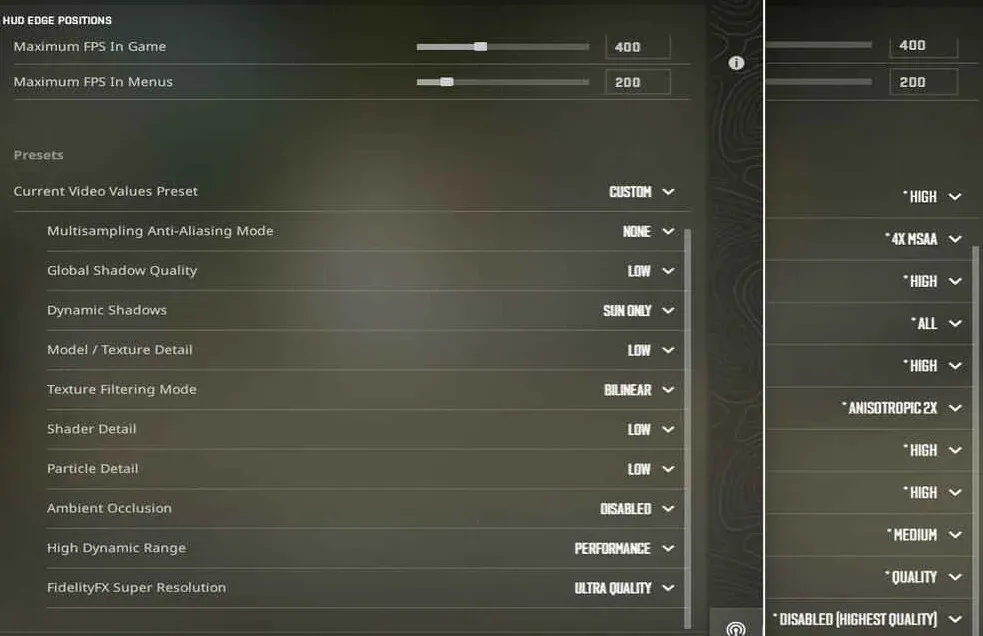
Turn off non-essential graphics options like anti-aliasing, vsync, and ambient occlusion. Enable low-latency features (NVIDIA Reflex or AMD Anti-Lag) and use full-screen mode for the best performance.
Should I Use Resolution Scaling (DLSS/FSR)?
Upscaling can boost FPS while keeping visuals clear. If your GPU struggles at 1080p, try FSR or DLSS to maintain high frame rates.
How Do I Stretch 4:3 Properly?
Set the game to 4:3 (1280×960 or 1024×768) and enable full-screen scaling in your GPU driver. This stretches the image horizontally, enlarging enemy models like most pros do.